 WANTED
Before you start
Tick these as you go. Progress stays in this browser.
Where can I try this early in the game?
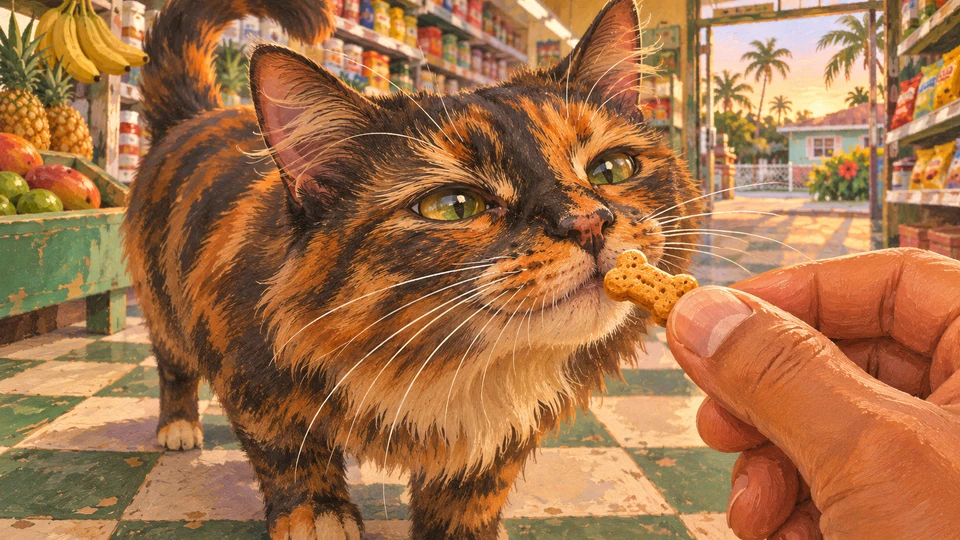
Look for the shop cat inside Key Lento Mini Mart in Chapter 1. Approach on foot and face the cat. Hold L2 on PS5 or LT on Xbox until you see the animal’s interaction options. If the shopkeeper’s prompts appear, turn toward the cat and focus again.
Choose Praise and give the animal a moment. Sometimes it takes a few attempts before Pet appears. On PS5 the Pet prompt uses Triangle. If the animal walks away, let it settle and focus on it again. You can pet a friendly animal without buying food.
I bought snacks. How do I actually give one?
- At the convenience store, browse the clerk’s counter and select Pet Snacks. In one Key Lento PS5 recording, $6 in game bought ten. Look for the notice showing the snacks were added.
- Go back to the animal and hold the focus trigger. Look for Feed with a number beside it. In the recorded dog interaction, Feed (x7) meant seven treats were available.
- Press the button beside Feed while that label is on screen. On PS5, Cross can say Praise at first and Feed later. Pressing it while it still says Praise gives a compliment. Follow the displayed button on your layout.
If you have snacks but the animal still offers only Praise or Pet, try a different friendly animal before buying more. A successful purchase alone doesn’t guarantee a Feed prompt at every encounter.
I petted it. Why is the breed still missing from my log?
Use Study while focused on an unfamiliar animal. In a PS5 recording, studying a dog changed its label from Dog to German Shepherd. Check Progress → Animals → Cats & Dogs for the entry. You can also study an animal through binoculars by holding R1 on PS5 or RB on Xbox.
If you’re at the tank in Jason’s house, Dolores has her own feeding prompt and food tub.
Sources & checks
Reviewed November 29, 2026. Written from the sources below; not an independent in-game playtest. Platform, chapter and reported limitations are kept explicit.
- GamesRadar+ · the Key Lento Mini Mart cat and the Praise-to-Pet interaction
- How To Video Game · PS5 shop purchase, Feed counter and dog breed before and after Study
- PowerPyx · binocular Study controls on PS5 and Xbox
- Vice Keys · recorded prompts and the Cats & Dogs progress menu
- Player questions · no Pet prompt after buying treats for the shop cat